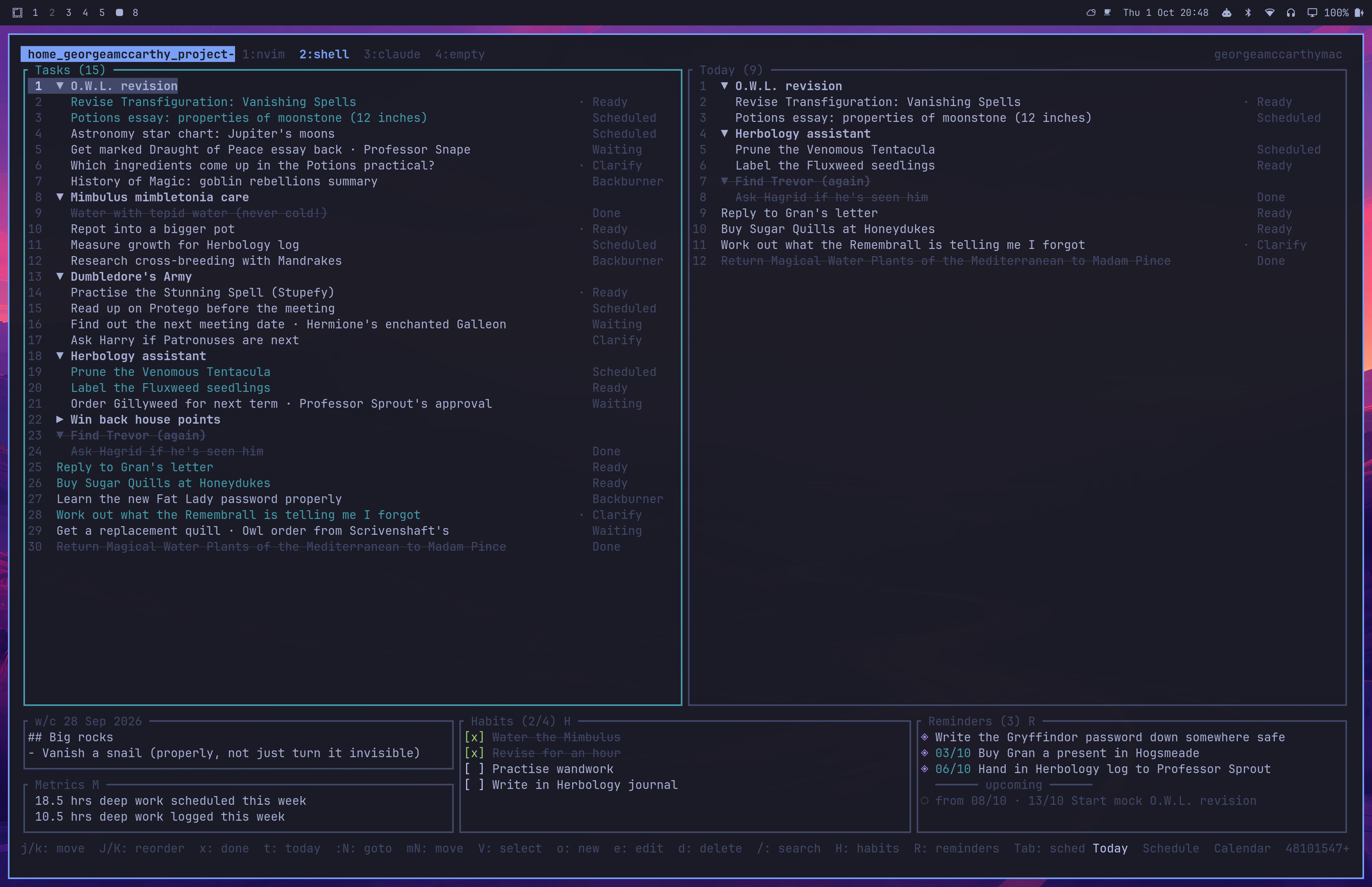
For the past month I've been chipping away at a fully custom command line program for managing my TODOs, project management, calendar events, deep work scheduling, and habit tracking. At this point I have dropped all my previous systems including Apple Calendar and fully rely on this little program.
The project was initially inspired by Linear; I wanted to be able to spin out agents with context to complete my TODOs, particularly coding projects, although I thought certain well scoped non-code related TODOs could be aided or even fully completed by an agent depending on its available tools. Step 1 was to create a command line program that an agent can interact with to create and manage my TODOs and schedule. As it turned out I have spent a lot of time refining the command line program such that I the human enjoy interacting with it and zero time folding in the AI. Typical.
However, I think the result is pretty cool. Over the years I have used so many bespoke productivity programs: Todoist, Nirvana, Things, Trello. I have used Google docs, Apple Notes, Notion, Obsidian, GCalendar, Apple Calendar, etc. etc. I always ran into a limitation because I was trying to use these systems to model my life. A good system is one that can basically capture everything you do or plan to do and allows you to plan, document and execute efficiently. People's needs greatly vary, and even really flexible tools like Obsidian have certain limitations whether it's the UI, the available extensions, how I can sync my work, and I was never fully satisfied with what was available for me in any of the countless programs I tried.
So, here's where I'm at.
The app is completely keyboard driven with vim-inspired keybindings. I may add mouse support in the future but for now I have not needed it. I've called this view the dashboard, it is a glorified big TODO list on the left hand side called Tasks. Tasks can be associated with a project, or can be standalone. Projects just group a bunch of tasks together and are shown with a collapsible indentation. Tasks have a status, either Ready, Scheduled, Clarify, Waiting, Backburner, Done (credit: Cal Newport for the statuses). I decide what I'm going to do each day with a picklist: I scroll down the list and hit t to assign tasks to Today. Every day at midnight the picklist resets and moves tasks back to the Task view but on top of the task list, so as Tasks grows it maintains a natural ordering. Marking TODOs as done is done with a satisfying press of x which crosses them out.
At the bottom we can see some other little features:
The weekly review functionality is very much a work in progress, currently it's just a plain text file each week with very basic vim key bindings in the editor.
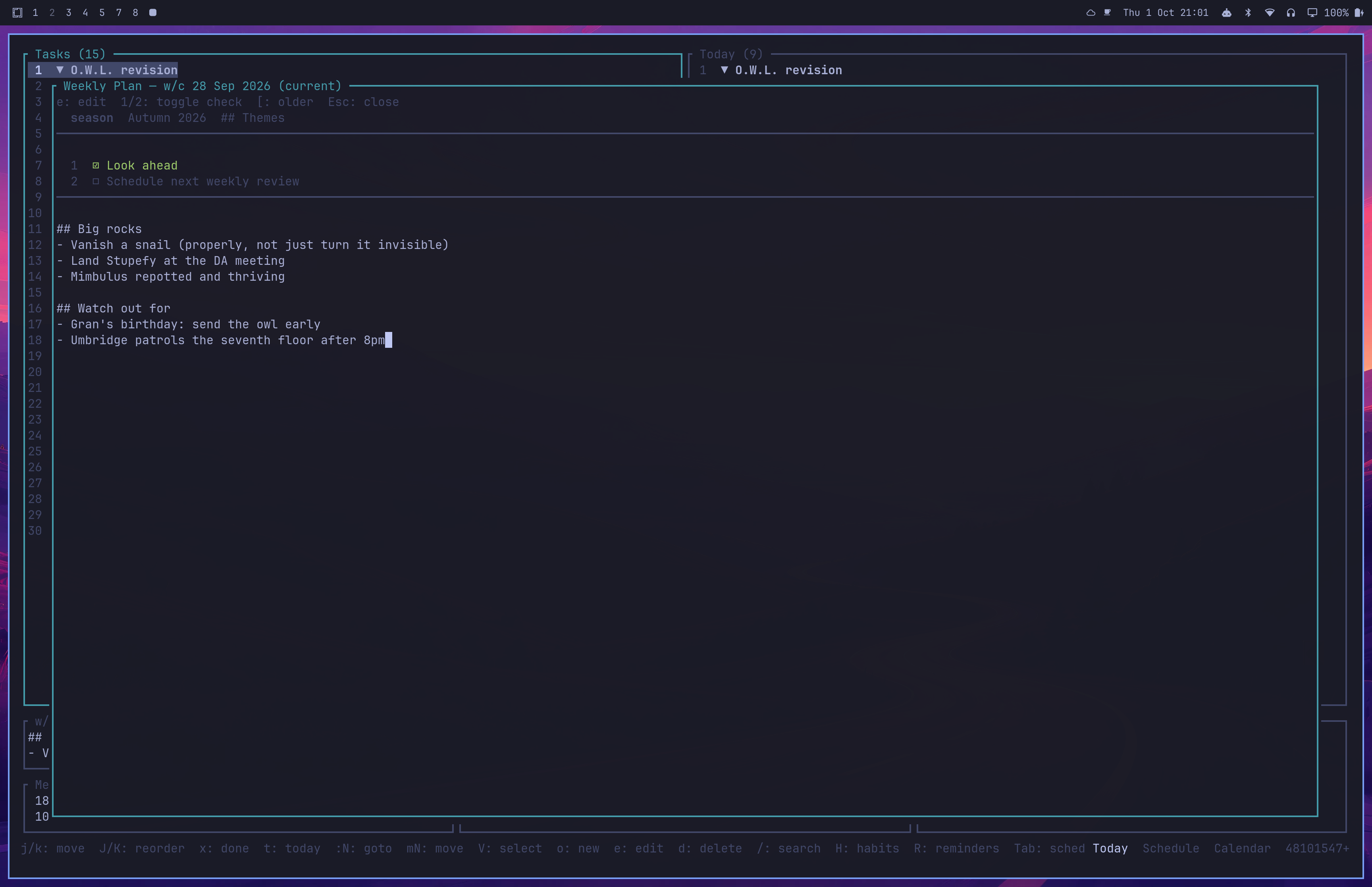
Here is the help window showing the numerous keyboard shortcuts. Many are intuitive if you are used to vim e.g. dd for deleting a TODO is meant to feel like deleting a line in vim and TODO insertion is either insert above with O or insert below with o, jk to move up and down JK to move TODOs up and down etc.
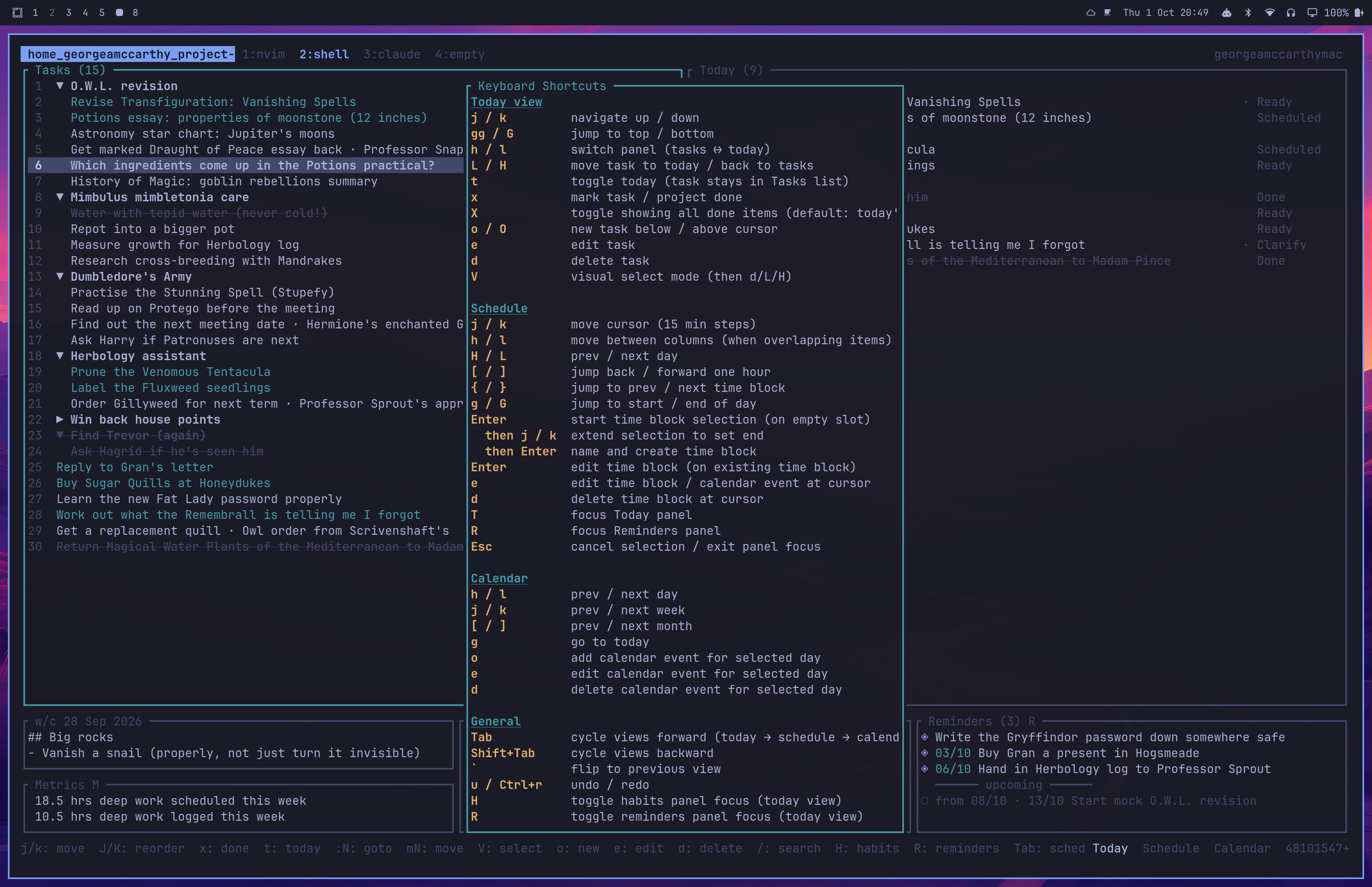
The schedule view is a way to time block plan each day. I have made hundreds of time block plans in the past on a sheet of A5 paper. I really liked creating a quick rough plan for my day but wished I could more easily revise the plan on the fly, and also see at a glance any commitments in my calendar. I also often want to associate a time block with a TODO e.g. if I create a deep work block it might be to chip away at a specific TODO.
The schedule view allows for all of this. Reminders and calendar events are also separated from rough time blocking which doesn't need to appear in the main calendar view.
In the top right Today's tasks, reminders, and habits are visible so when quickly drafting the day's plan these things can be planned.
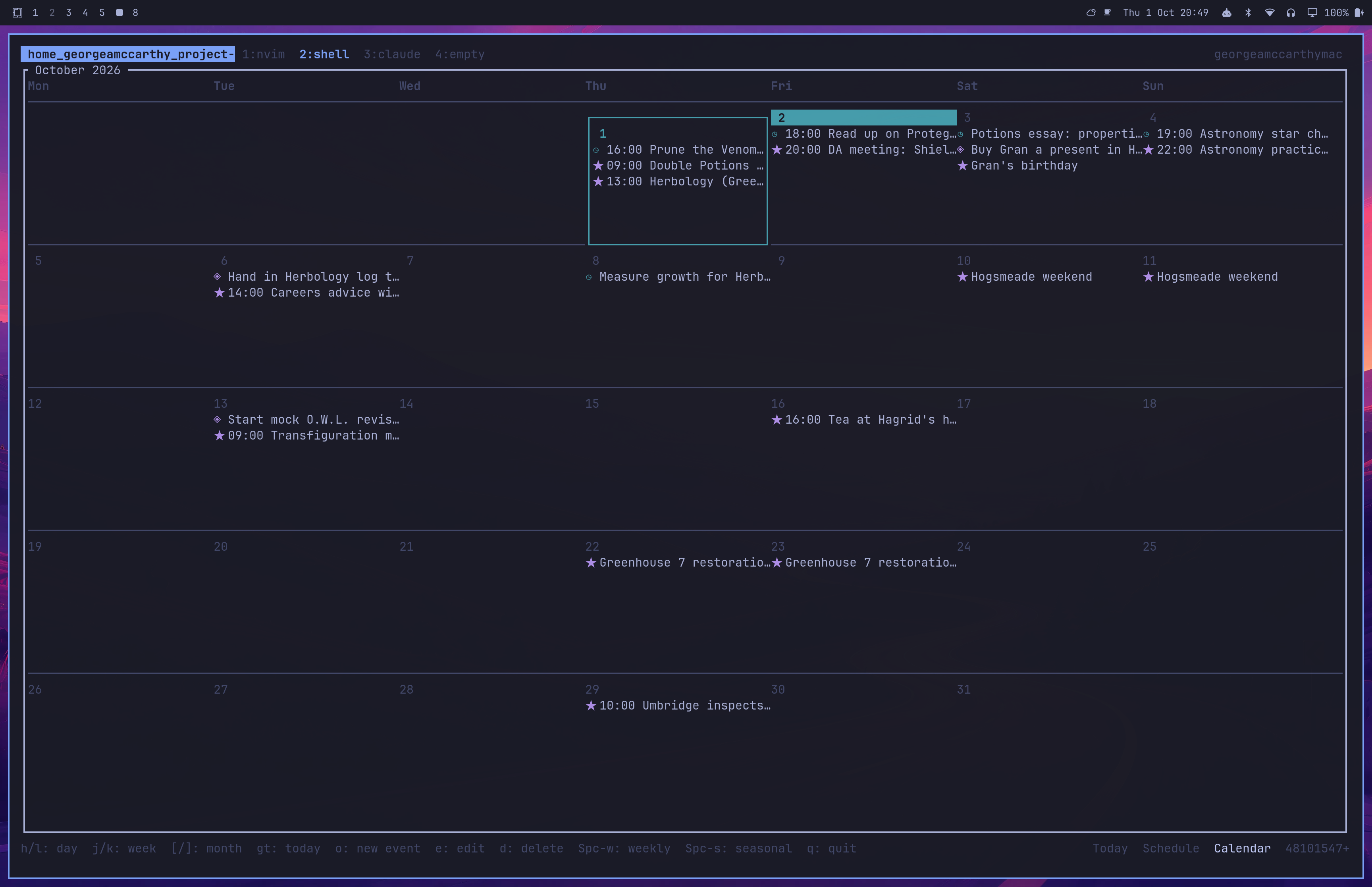
The calendar view is fairly standard, showing any calendar events or reminders at a glance.
In order for the program to eventually be AI driven, every action that can be done in the TUI can also be done with the CLI e.g.
# Add a task under a project and flag it for today
pm task add "Practise the Stunning Spell (Stupefy)" --project "Dumbledore's Army" --today

# Add a task that's waiting on someone else
pm task add "Order Gillyweed for next term" --project "Herbology assistant" --status waiting --waiting-for "Professor Sprout's approval"

# Block out two hours of deep work, linked to a task by its id prefix
pm timeblock add "Deep work: Vanishing Spells" --start 11:00 --end 13:00 --deep-work --task 3fa

# Add a calendar event spanning the weekend
pm event add "Hogsmeade weekend" --date 10/10/2026 --end-date 11/10/2026

# Surface a reminder from today, with Gran's birthday as the deadline
pm reminder add "Buy Gran a present in Hogsmeade" --event 03/10/2026
I also have a telegram bot set up that currently only supports two features: I can view today's schedule with /schedule and I can also create tasks.
I will quickly jot down a few design decisions that have worked out well
Command. The CLI and TUI code is as thin as possible and share as much code as possible by calling these commands.